How to Arrange a Small Living Room Around a TV

Figuring out how to arrange a small living room around a TV is one of the most common layout puzzles in compact homes. The television wants to be the focal point, the sofa wants the best view, the window fights both of them for attention, and somewhere in the middle you still need walkways, storage, and a layout that feels like a living room rather than a screening booth. The good news is that none of this requires extra square footage — it requires a sequence of smart decisions.
In this guide, we walk through that sequence step by step: choosing the right TV wall, nailing the viewing distance and height, arranging seating so conversation and screen time can coexist, deciding between wall mounting and a media console, and finally taming the cables that can make even a beautifully planned compact living room look chaotic. By the end, you will have a clear, repeatable method you can apply to almost any snug lounge or cozy city living space.
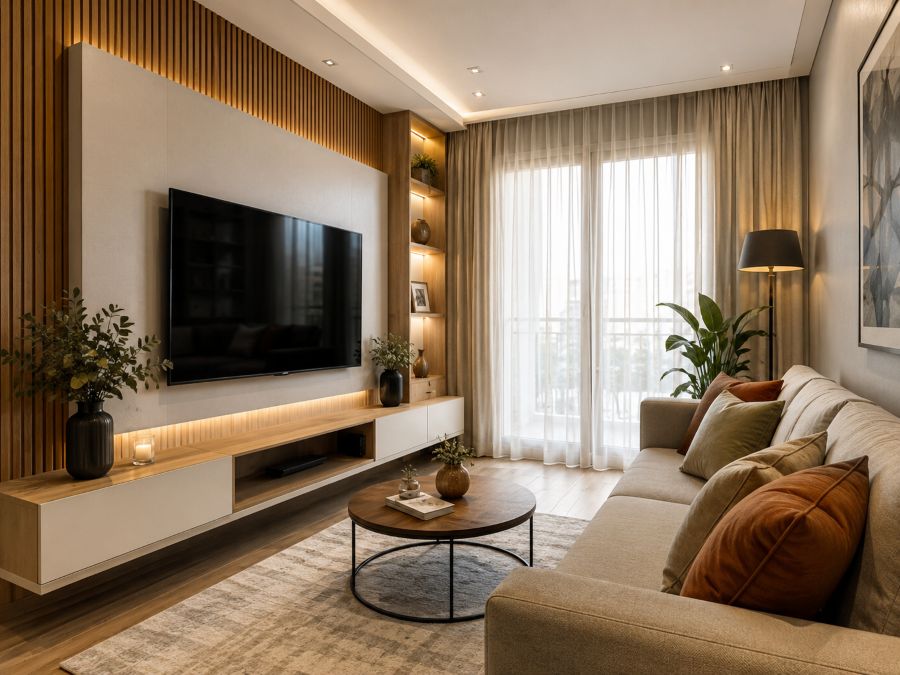
Before moving any furniture, it helps to understand why TV placement matters so much in tight layouts. In a generous open-plan home, a slightly awkward TV position is a minor annoyance. In a compact living room, the same mistake cascades: the sofa ends up blocking a doorway, the glare from the window ruins evening movie nights, and the coffee table becomes an obstacle course. Because every element in a snug space depends on every other element, the TV — as the largest fixed visual anchor — is the logical place to start planning. Once the screen position is locked in, seating, storage, and lighting decisions fall into place naturally.
Prefer to see the method in action before reading the details? The short video below walks through the core ideas of a small living room TV layout — choosing the right wall, setting the viewing distance, and arranging seating — in under a minute and a half. Watch it first, then dive into each step in depth below.
Step 1: Choose the Right TV Wall in a Small Living Room
The first and most consequential decision in any small living room TV layout is which wall the screen lives on. Walk into the room and identify your candidate walls, then eliminate the weak ones using three filters: light, traffic, and proportion.
Light comes first. A TV placed directly opposite a window will mirror that window all day long, turning your favorite show into a reflection of your curtains. A TV placed directly in front of a window suffers the opposite problem — harsh backlighting that tires the eyes within minutes. The ideal TV wall sits perpendicular to the main window, so daylight washes across the screen at an angle instead of bouncing straight off it. If your room’s architecture forces a compromise, choose reflections over backlighting; curtains and matte screens can fight glare, but almost nothing fixes a bright window burning behind the panel.
Traffic comes second. Trace the natural walking paths through the room: from the entry door to the balcony, from the hallway to the kitchen pass-through. The line between the sofa and the TV should never cross a primary walking route, because every person crossing the room will interrupt the picture. In many compact city homes, this single filter eliminates an entire wall from consideration.
Proportion comes third. A 55-inch screen on a narrow sliver of wall between two doorways looks cramped and oversized, while the same screen centered on the longest unbroken wall looks intentional. As a rule of thumb, aim for at least 20–30 centimeters of breathing room on each side of the TV. If the only realistic wall is short, that is a strong argument for stepping down a screen size rather than forcing the layout.
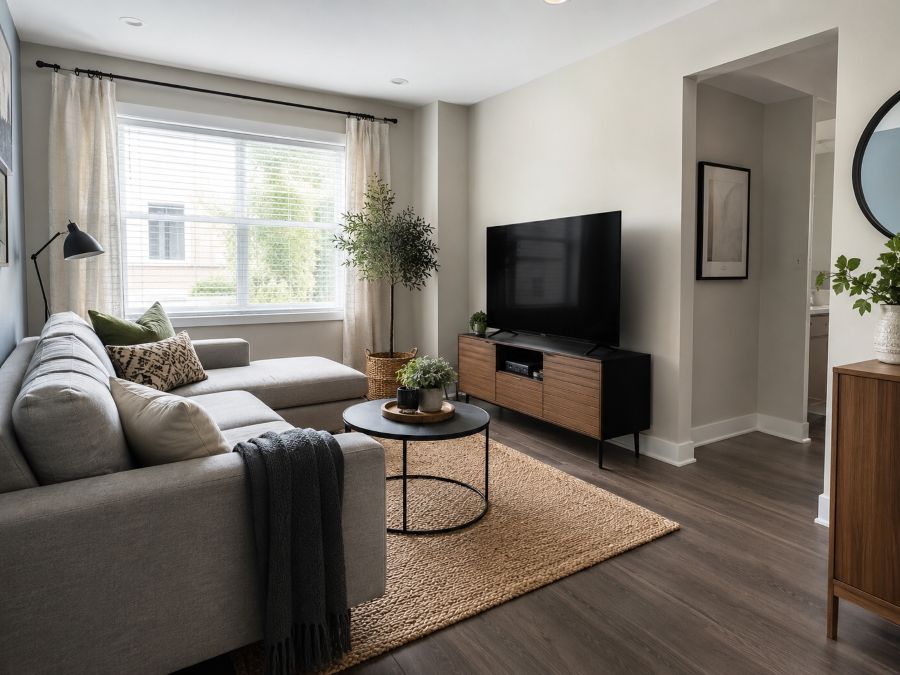
Quick Checklist for Picking the TV Wall
- Perpendicular to windows: daylight should cross the screen, not face it or sit behind it.
- Outside walking paths: no one should cross between the sofa and the screen to move through the room.
- Longest unbroken stretch: the screen needs visual margin on both sides to feel proportionate.
- Near a power outlet: shorter cable runs are easier to conceal and safer.
- Solid mounting surface: if you plan to wall-mount, confirm the wall can hold the load (studs, brick, or concrete).
Step 2: Get the Viewing Distance and TV Height Right
Once the wall is chosen, distance and height determine whether the room feels comfortable or claustrophobic. Modern 4K screens have rewritten the old rules: because pixel density is so high, you can sit much closer than previous generations of TVs allowed without seeing individual pixels. The widely used guideline for 4K is a viewing distance of 1 to 1.5 times the diagonal screen size. In practical terms, a 50-inch TV is perfectly comfortable from about 1.3 to 1.9 meters — a range that fits the vast majority of compact living rooms.
This is genuinely liberating for anyone furnishing a modest footprint. It means a snug lounge does not have to settle for a tiny screen; it simply needs the right pairing of screen size and sofa position. Measure the real distance from your seating to the candidate wall, then work backwards to the screen size — not the other way around. Buying the TV first and squeezing the room around it is the most common sequencing mistake in tight layouts.
Height matters just as much as distance. The center of the screen should sit at seated eye level, which for most sofas lands between 100 and 110 centimeters from the floor. Mounting the TV high on the wall — a habit borrowed from restaurants and waiting rooms — forces your neck into a sustained upward tilt that becomes uncomfortable within a single episode. If your layout includes floor cushions or a low-profile sofa, lower the screen accordingly. The only justified exception is a swivel or full-motion mount in a corner, where a slightly higher position helps the screen clear furniture when angled.
Smart Small Space Tip: Before drilling a single hole, cut a piece of cardboard to your TV’s exact dimensions and tape it to the candidate wall. Live with it for two days. You will immediately feel whether the height, the size, and the sight lines work — and adjusting tape is a lot cheaper than patching wall anchors.
Step 3: Arrange Seating Around the TV Without Sacrificing Conversation
A living room that only works for watching television stops being a living room. The art of arranging seating in a compact space is balancing two competing geometries: the straight-on sight line the screen demands, and the angled, facing arrangement that conversation demands. Fortunately, three proven layouts solve this tension in tight rooms.
The classic anchor layout places the main sofa directly opposite the TV at the measured viewing distance, then adds one accent chair at roughly 45 degrees to the side. The chair owner gets a slightly angled but still comfortable view of the screen, and when the TV is off, the sofa and chair naturally face each other for conversation. This layout suits rectangular rooms where the TV occupies one of the long walls.
The corner pivot layout mounts the TV in a corner on a full-motion bracket and arranges an L-shaped or compact two-seat sofa along the adjacent walls. Corners are usually dead space in snug rooms, so colonizing one for the screen effectively adds usable wall area for free. The swivel mount lets you angle the screen toward whichever seat is occupied, which is especially useful in rooms that double as a home office or dining space.
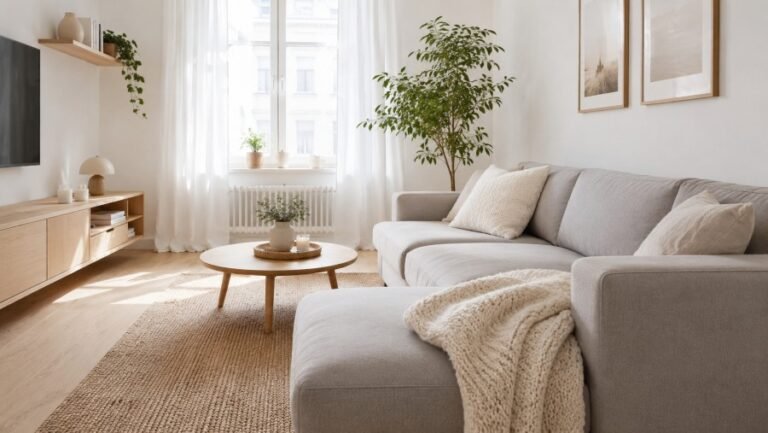
The float layout pulls the sofa slightly off the back wall — even 20 centimeters helps — and uses a slim console table behind it for lamps and books. Floating the sofa sounds counterintuitive in a tight room, but it creates a sense of layered depth that makes the space read larger, and it shortens the viewing distance to match smaller screens. This works best in rooms that are slightly longer than they are wide.
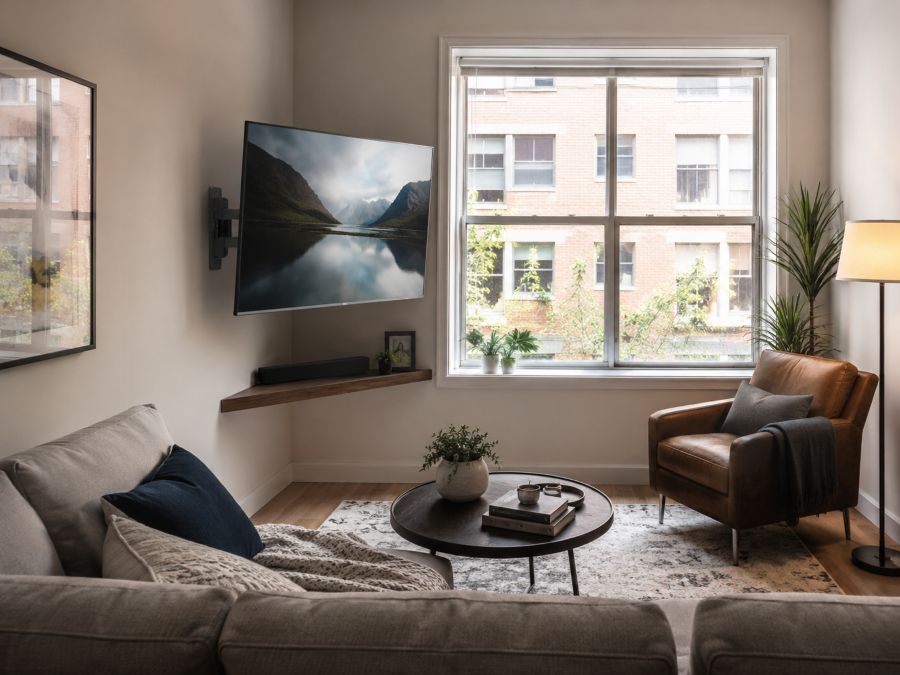
Whichever layout you choose, protect your walkways. The practical minimum for a comfortable walking path is about 60 centimeters; main routes through the room deserve 75–90 centimeters. Between the sofa and the coffee table, leave 40–45 centimeters — close enough to reach a drink, far enough to walk past without bruising a shin. These few numbers, applied consistently, are what separate a thoughtfully arranged compact living room from a furniture showroom squeeze.
Wall Mount vs. TV Stand: Which Works Better in a Compact Living Room?
The mounting question deserves its own section because the answer shapes everything else in the room. In most tight layouts, wall mounting wins on pure space economics: a typical media console occupies 35–45 centimeters of depth along the entire TV wall, while a slim-profile wall mount holds the screen 3–6 centimeters off the wall. That reclaimed strip of floor can host a walkway, a reading chair, or simply visual breathing room.
But the console is not obsolete. If your setup includes a game console, a soundbar, a streaming box, and a router, that equipment needs to live somewhere — and a closed-front console hides both the devices and their cable spaghetti. The honest comparison looks like this:
| Factor | Wall Mount | Slim Media Console |
|---|---|---|
| Floor space used | None — wall only | 35–45 cm depth along the wall |
| Viewing height control | Precise, fully adjustable at install | Fixed by console height |
| Equipment storage | Needs separate shelf or floating unit | Built-in, often with closed doors |
| Cable concealment | Raceway or in-wall kit required | Cables hide behind/inside the unit |
| Renter friendliness | Requires drilling (check lease) | Fully renter-friendly |
| Flexibility to rearrange | Low — position is fixed | High — move it anytime |
| Best for | Tight rooms, corner setups, minimalist looks | Renters, gamers, heavy equipment setups |
A popular hybrid solves most trade-offs: wall-mount the TV at the correct eye level, then hang a shallow floating shelf or place a low, narrow console beneath it for equipment. You get the height control and floor savings of the mount with the storage of the console — and the gap between screen and shelf becomes a natural channel for a cable raceway.
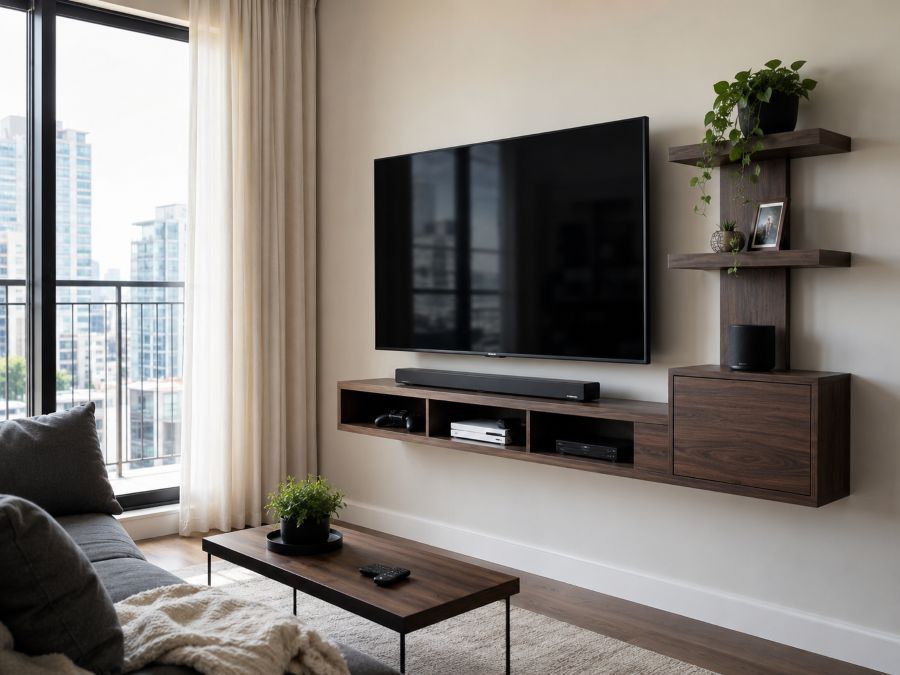
Hiding Cables and Keeping the TV Wall Clean
Cable management is where good layouts go to die. Even a perfectly positioned screen looks chaotic with cords trailing down the wall, and in a compact room there is nowhere for the eye to escape the mess. Work through the problem in three layers.
First, reduce the cable count. Audit what actually needs to be plugged in: many streaming devices now hang directly off the TV’s HDMI port and draw power from its USB output, eliminating two cables. A soundbar with a single HDMI-ARC connection replaces the multi-wire speaker setups of the past. Every cord you eliminate is one you never have to hide.
Second, channel what remains. For renters, the adhesive paintable raceway described above is the workhorse solution. For homeowners willing to drill, an in-wall cable kit routes cords through the wall cavity between two discreet plates, producing a completely cable-free face. Either way, route everything in a single vertical line directly below the screen’s center — one tidy channel reads as intentional, while diagonal runs read as improvisation.
Third, conceal the destination. The power strip and the slack loops of excess cord should disappear into a ventilated cable management box on the floor or inside the console. Velcro ties — never single-use zip ties, which fight every future change — bundle the slack neatly. The final test is simple: stand at the room’s entrance and look at the TV wall. If your eye finds the screen, the shelf, and nothing else, you are done.
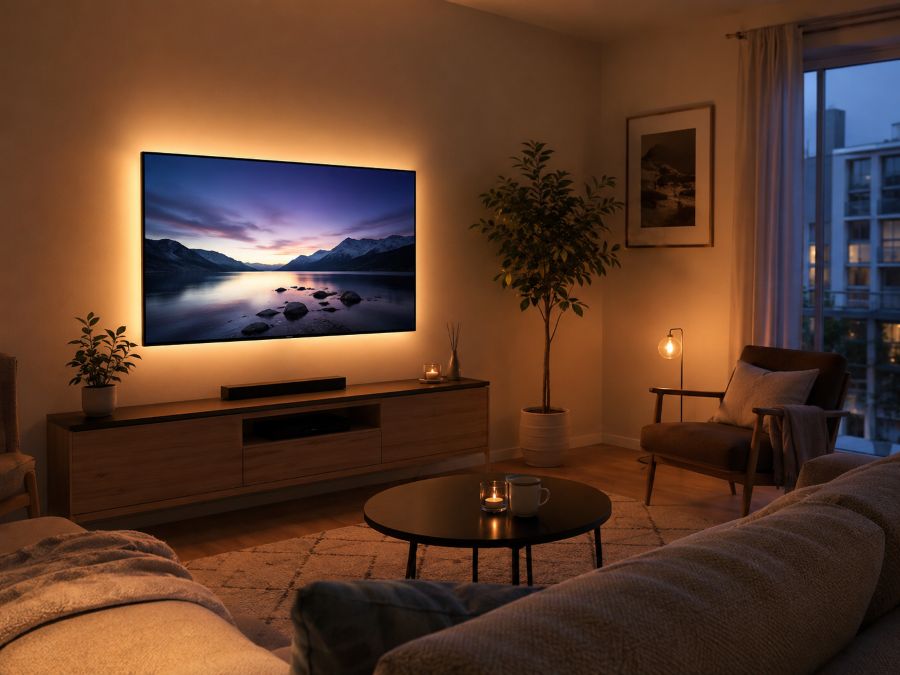
Finishing Touches: Lighting, Color, and Making the TV Disappear
With the structural decisions made, a few finishing moves elevate the room from functional to genuinely inviting. Start with bias lighting: a strip of warm LED light mounted behind the TV creates a soft halo that reduces the contrast between the bright screen and a dark room, easing eye strain during evening viewing while adding a designer glow to the whole wall.
Next, soften the black rectangle. A switched-off TV is the largest dark object in most compact living rooms, and it pulls visual weight toward itself. You can counter this by styling the wall around it — a pair of framed prints flanking the screen, a trailing plant on the floating shelf, or a gallery arrangement that absorbs the TV into a larger composition. Some modern TVs offer an ambient art mode that displays paintings or photographs at low power; in a snug room where the screen is always in view, this feature earns its keep.
Finally, mind the palette. Warm, light wall colors — creams, soft beiges, muted sage — reflect daylight deeper into the room and keep the space feeling open around the dark screen. A rug that extends under the front legs of the sofa ties the seating zone together and visually anchors the viewing area, defining the TV zone in homes where the living area flows into a dining or work corner.
FAQ: Arranging a Small Living Room Around a TV
How far should the sofa be from the TV in a small living room?
A reliable rule for 4K screens is to multiply the screen size by 1 to 1.5. A 55-inch TV looks comfortable from roughly 55 to 83 inches away (about 1.4 to 2.1 meters), which fits most compact living rooms. Because 4K panels hold detail at close range, sitting nearer than older guidelines suggested is perfectly fine.
Is it better to wall-mount a TV in a small living room?
In most compact living rooms, yes. Wall mounting frees the floor area a media console would occupy, lets you fine-tune the viewing height, and keeps walkways clear. A full-motion mount adds even more flexibility because you can angle the screen toward different seats. A slim console still wins if you need closed storage for consoles, routers, and remotes.
Can I put a TV in front of a window in a tight living room?
It works only as a last resort. Backlighting from the window causes eye strain during the day and washes out the picture. If no other wall is available, hang blackout or thick linen curtains and choose a TV with strong anti-glare coating and high peak brightness. A corner placement with a swivel mount is usually the better compromise.
What size TV is right for a small living room?
Measure your real seating distance first. For a sofa positioned 1.5 to 2 meters from the screen, a 43- to 55-inch TV is the sweet spot. Oversizing the screen in a snug lounge forces your eyes to track across the panel and makes the room feel dominated by a black rectangle when the TV is off.
How do I hide TV cables without drilling into the wall?
Paintable adhesive cable raceways are the easiest renter-friendly option. They stick to the wall, channel all cords inside a slim cover, and can be painted to match the paint color so they nearly disappear. Pair them with a cable management box on the floor to conceal the power strip and excess cord length.
Final Thoughts: A Layout Method You Can Reuse
Arranging a compact living room around a TV is not about owning less — it is about deciding in the right order. Pick the wall using the light, traffic, and proportion filters. Lock in the viewing distance and eye-level height before buying or mounting anything. Choose the seating layout that balances screen time with conversation, then resolve the mount-versus-console question based on how much equipment you actually own. Finish by channeling every cable into one invisible run and softening the screen with bias lighting and thoughtful styling. Follow that sequence and the same method will serve you in your current home, your next one, and any cozy space in between — because good layout thinking, unlike furniture, always moves with you.
ADeL A.A
ADeL A.A is a home décor and space optimization writer who believes every square foot matters. He spends his time researching, testing, and comparing smart storage ideas, multi-functional furniture, and practical layout solutions — always searching for the best ways to make compact homes feel bigger, brighter, and better organized.
View all articles by ADeL A.A →